Verdict
The Best 9Aggregated review·56 sources·updated October 21, 2026

Best Wireless Keyboards

Top 9 wireless keyboards reviewed and ranked.

This guide aggregates 56 published reviews across 9 products; the thinnest-sourced pick rests on 3. .

Verdict is reader-supported. Our ratings are sourced from independent publications, not sponsors.
Quick answer

Epomaker Ajazz AK820 Pro is our top pick for wireless keyboards — an averaged 4.5/5 across 2 published reviews at about $58.64. Runner-up: Logitech Keys-To-Go 2 (~$80).

At a glance9 products ▾
1Epomaker Ajazz AK820 ProTop Pick
2 sources
$58.64Best for: Typists who prioritize acoustic performance and connectivity options over build quality and software polish
$58.64 · Check Price on Amazon
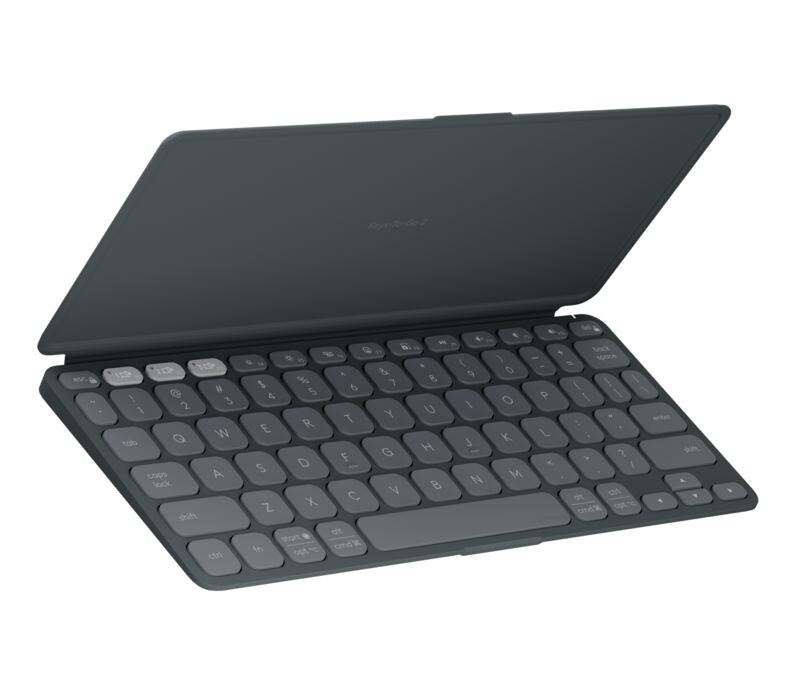
2Logitech Keys-To-Go 2
3 sources
$80Best for: Travelers seeking maximum portability and multi-device switching
$80 · Buy at apple.com
3Lemokey P1 HE
5 sources
$135.98Best for: Competitive gamers seeking precise Hall Effect control on a stable chassis
$135.98 · Check Price on Amazon
4NuPhy Air75 V3
3 sources
$139.95Best for: Users seeking portability and multi-platform compatibility
$139.95 · Check Price on Amazon
5Logitech MX Keys S
4 sources
$119.99Best for: Professionals seeking a comfortable, low-profile typing experience who can manage frequent recharging
$119.99 · Check Price on Amazon
6NuPhy Halo75 V2
3 sources
Best for: Users who prioritize aesthetics and typing feel over reliable wireless performance
Check Price on Amazon
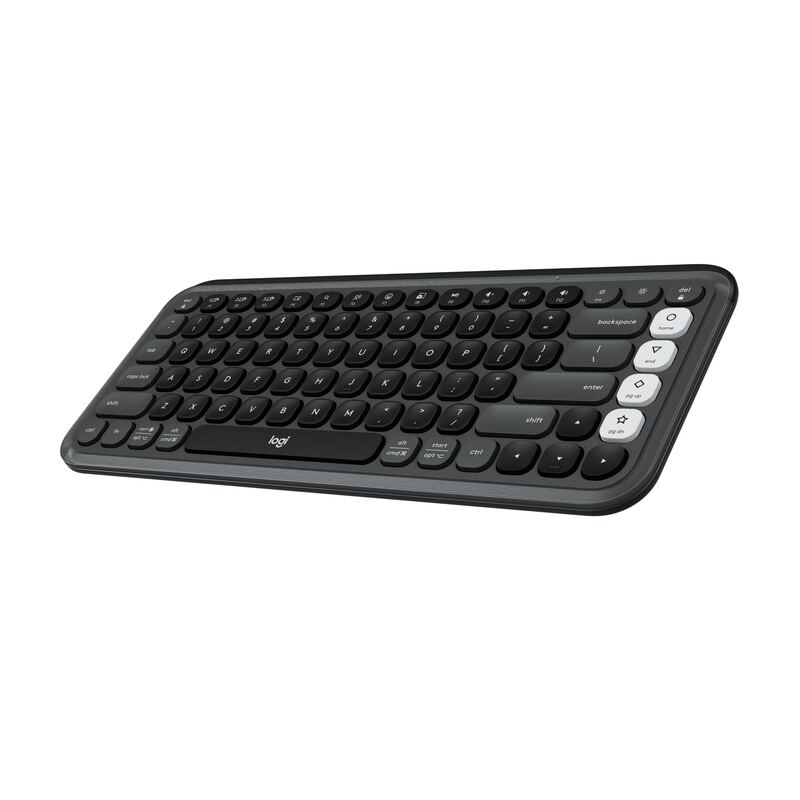
7Logitech Pop Icon Keys
4 sources
$49.8Best for: Creative professionals seeking aesthetic customization and portability
$49.8 · Check Price on Amazon
8Logitech Pebble Keys 2 K380s
5 sources
$37.99Best for: Travelers seeking portability and sustainability
$37.99 · Check Price on Amazon
9Razer Pro Type Ultra
4 sources
$159.99Best for: Users who prioritize tactile feedback and ergonomic comfort in private settings
$159.99 · Check Price on Amazon

The full ranking

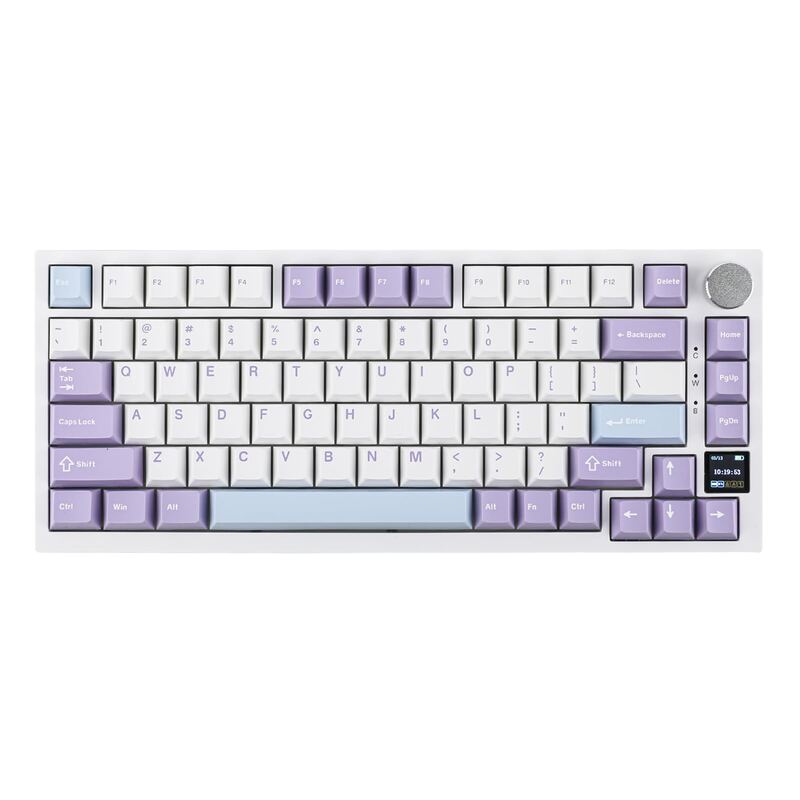
Epomaker Ajazz AK820 Pro
#1 · Top Pick
Best for: Typists who prioritize acoustic performance and connectivity options over build quality and software polish
Epomaker Ajazz AK820 Pro
2 sources$58.64as of Oct 21
▾Why it's ranked here

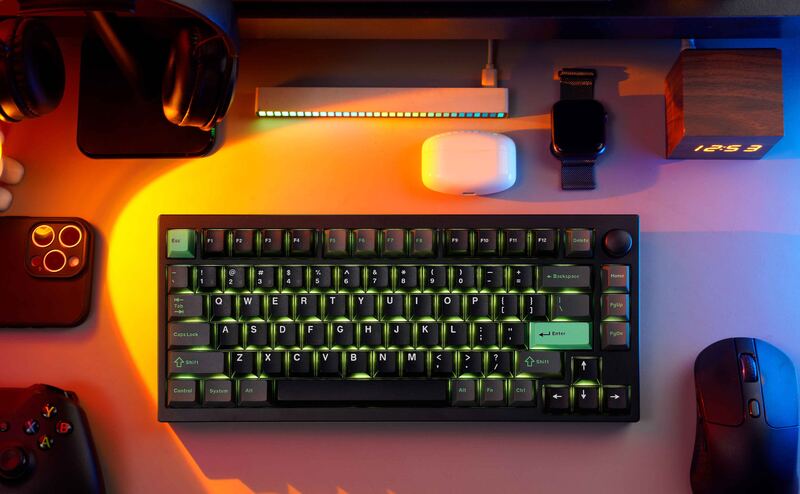
The Epomaker Ajazz AK820 Pro features a unique small TFT screen and tri-mode connectivity, but its utility is severely hampered by clunky software that makes uploading custom GIFs unreliable. IGN found the interface frustrating, turning the display’s potential into little more than a gimmick despite the hardware's sharp visuals. The keyboard also suffers from an ABS plastic shell that feels less premium than competitors like the Aula F75, and yellow accent keycaps on the Grey colorway are criticized for detracting from its aesthetic appeal. This model fits typists who prioritize acoustic performance and connectivity options over build quality and software polish.

Strengths
  • — Includes a small TFT screen capable of displaying connection status, battery life, time, date, and custom GIFs or images via software.
  • — Offers tri-mode connectivity (USB-C wired, 2.4 GHz wireless, Bluetooth 5.1) allowing pairing with up to three devices simultaneously.
Watch-outs
  • — The ABS plastic shell feels less premium compared to competitors like the Aula F75, despite robust internal construction.
  • — Software support is described as clunky, making it difficult to upload custom GIFs or configure advanced screen settings effectively.
Logitech Keys-To-Go 2
#2
Best for: Travelers seeking maximum portability and multi-device switching
Logitech Keys-To-Go 2
3 sources$80as of Oct 21
▾Why it's ranked here

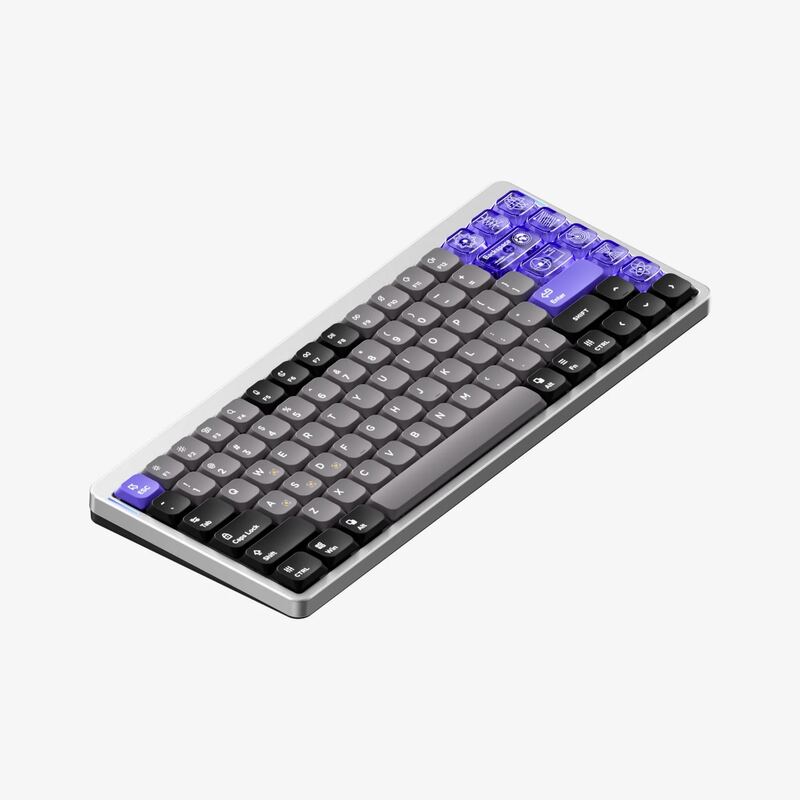
Laptop Mag found that scissor-switch keys and a matte finish create a typing experience similar to a compact laptop, while the magnetic flip cover doubles as an anti-slip base. The ultra-compact layout results in tiny arrow and modifier keys that can cause cramped hands or typos for users accustomed to standard sizes. Additionally, the device lacks a rechargeable USB-C port, requiring users to replace disposable coin cells when depleted, and does not include a built-in kickstand for tablets. This keyboard fits travelers seeking maximum portability and multi-device switching but may disappoint those who prioritize key size and convenient recharging.

Strengths
  • — Includes a magnetic flip cover that protects keys and doubles as an anti-slip typing base.
  • — Supports tri-mode Bluetooth connectivity with dedicated buttons to pair up to three devices simultaneously.
Watch-outs
  • — The ultra-compact layout results in tiny arrow and modifier keys that can cause cramped hands or typos.
  • — Lacks a rechargeable USB-C port, requiring users to replace disposable coin cells when depleted.
Lemokey P1 HE
#3
Best for: Competitive gamers seeking precise Hall Effect control on a stable chassis
Lemokey P1 HE
5 sources$135.98as of Oct 21
▾Why it's ranked here

The Lemokey P1 HE features a full metal aluminum body that provides substantial weight to prevent desk movement and a gasket-mounted PCB with internal foam for a quiet, cushioned typing experience. XDA Developers found that the Gateron Double-Rail Magnetic Nebula switches allow adjustable actuation points from 0.2mm to 3.8mm, while Dilpickle1.com confirmed access to Rapid Trigger and other gaming features via the Lemokey Launcher software. Despite these strengths, the spacebar stabilizer produces a louder clack than surrounding keys, and the board lacks dedicated Mac OS mode switches or included Mac keycaps for immediate Apple usability. This keyboard fits competitive gamers seeking precise Hall Effect control on a stable chassis, but those prioritizing silent uniformity or native macOS hardware support should look elsewhere.

Strengths
  • — Full metal aluminum body provides a premium feel and prevents desk movement.
  • — Gasket-mounted PCB with internal sound-absorbing foam creates a quiet, cushioned typing experience.
Watch-outs
  • — No dedicated Mac OS mode switch or included Mac keycaps despite cross-platform compatibility.
  • — The spacebar stabilizer produces a louder clack than the surrounding keys.
NuPhy Air75 V3
#4
Best for: Users seeking portability and multi-platform compatibility
NuPhy Air75 V3
3 sources$139.95as of Oct 21
▾Why it's ranked here

TweakTown found that the Gateron Red Nano linear switches deliver a smooth, creamy typing feel with acoustics that are quiet and rattle-free. The keyboard features an impressive 4000mAh battery providing up to 1200 hours of runtime when backlighting is turned off, alongside a hot-swappable rotary knob module for customizable system control. However, TweakTown pointed out a lack of per-key lighting adjustments, with side accents serving only cosmetic purposes, and noted the knob is wobbly and can pop off easily. This compact 75% layout suits users seeking portability and multi-platform compatibility but may disappoint those requiring precise dial feedback or granular lighting customization.

Strengths
  • — TweakTown found the Gateron Red Nano linear switches deliver a smooth, creamy typing feel with acoustics that are quiet and rattle-free.
  • — The keyboard features an impressive 4000mAh battery providing up to 1200 hours of runtime when backlighting is turned off.
Watch-outs
  • — TweakTown pointed out a lack of per-key lighting adjustments, with side accents serving only cosmetic purposes.
  • — The knob is wobbly and can pop off easily
Logitech MX Keys S
#5
Best for: Professionals seeking a comfortable, low-profile typing experience who can manage frequent recharging
Logitech MX Keys S
4 sources$119.99as of Oct 21
▾Why it's ranked here

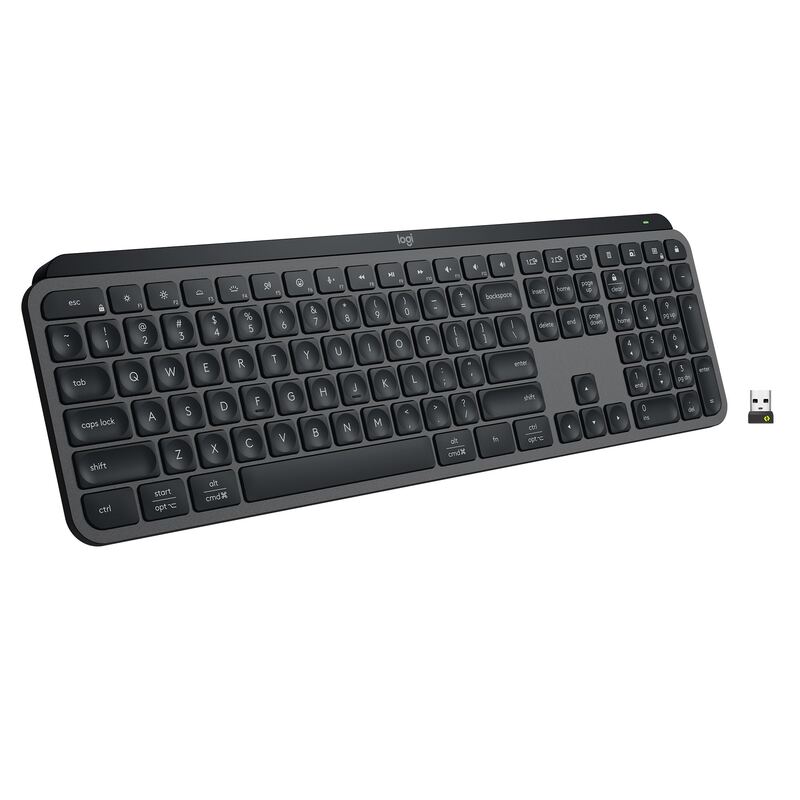
TechGearLab found that the concave key shape hugs fingertips to reduce typing errors and provide comfort during long sessions, while Salopek noted the softened tactile feedback suits those who prefer quiet operation over mechanical click. The intelligent backlighting with proximity sensors adjusts automatically via Tom's Guide’s ambient light sensor, but TechGearLab identified a significant drawback: battery life drops to approximately 10 days when this feature is enabled, compared to five months with lights off. Hardware Canucks praised the premium build quality and Easy-Switch technology for seamless multi-device routing, yet Salopek criticized the inconsistent sizing of special keys as creating an awkward layout. This keyboard fits professionals seeking a comfortable, low-profile typing experience who can manage frequent recharging; those prioritizing long battery life or mechanical switch feel should look elsewhere.

Strengths
  • — Softened tactile feel and concave key shape that hugs fingertips for comfort during long sessions (TechGearLab)
  • — Intelligent backlighting with proximity sensors and ambient light adjustment to conserve battery life (Salopek, Tom's Guide)
Watch-outs
  • — Battery life drops significantly to approximately 10 days when smart backlighting is enabled (TechGearLab)
  • — Short battery life when backlighting is enabled
NuPhy Halo75 V2
#6
Best for: Users who prioritize aesthetics and typing feel over reliable wireless performance
NuPhy Halo75 V2
3 sources
▾Why it's ranked here

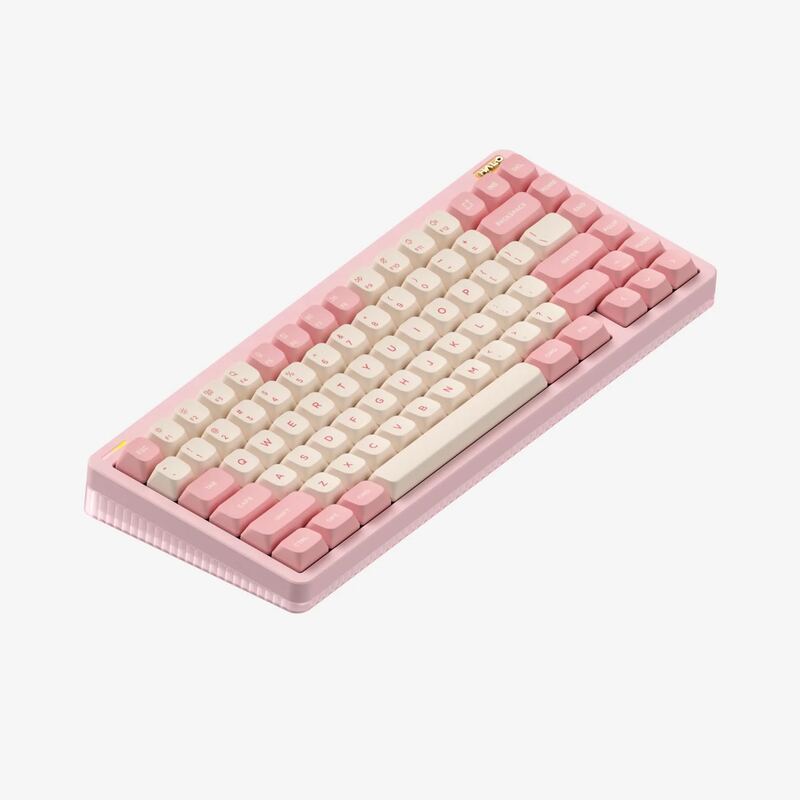
Tom's Guide found that the NuPhy Halo75 V2’s gasket-mounted construction delivers a quiet, comfortable typing experience enhanced by vibrant per-key RGB lighting that glows through translucent side panels. The fully hot-swappable PCB allows for easy switch customization without soldering, appealing to enthusiasts seeking flexibility in their mechanical keyboard setup. However, significant wireless connectivity issues persist, including missed keystrokes and difficulties resuming connections after waking from sleep mode. This product fits users who prioritize aesthetics and typing feel over reliable wireless performance, while those needing consistent input response should look elsewhere.

Strengths
  • — Gasket-mounted construction provides a comfortable typing experience with sound dampening that reviewers describe as quiet and pleasant.
  • — Features vibrant per-key RGB lighting combined with translucent side panels that create a distinctive 'halo' glow effect around the case.
Watch-outs
  • — Some wireless connectivity issues have been reported, including missed keystrokes and difficulties resuming connections after waking from sleep.
  • — Wireless connection issues
Logitech Pop Icon Keys
#7
Best for: Creative professionals seeking aesthetic customization and portability
Logitech Pop Icon Keys
4 sources$49.8as of Oct 21
▾Why it's ranked here

TechGearLab found that the tactile scissor switches provide a quiet and responsive typing experience suitable for shared workspaces. The keyboard features four programmable action keys on the right side, but Laptop Mag reported frequent accidental presses when reaching for adjacent standard keys due to their proximity. While CNN Underscored confirmed reliable Easy-Switch functionality across multiple devices, the compact layout omits a number pad entirely, limiting utility for heavy data entry tasks. This device fits creative professionals seeking aesthetic customization and portability, whereas users requiring extensive numeric input or traditional key spacing should look elsewhere.

Strengths
  • — Delivers a quiet and responsive typing experience using laptop-style scissor switches that reviewers found comfortable.
  • — Includes four customizable action keys on the right side that can be programmed via Logi Options+ software.
Watch-outs
  • — The compact layout lacks a number pad and some users reported accidental key presses on the programmable action keys.
  • — The rounded key shape may be difficult for some users to adjust to.
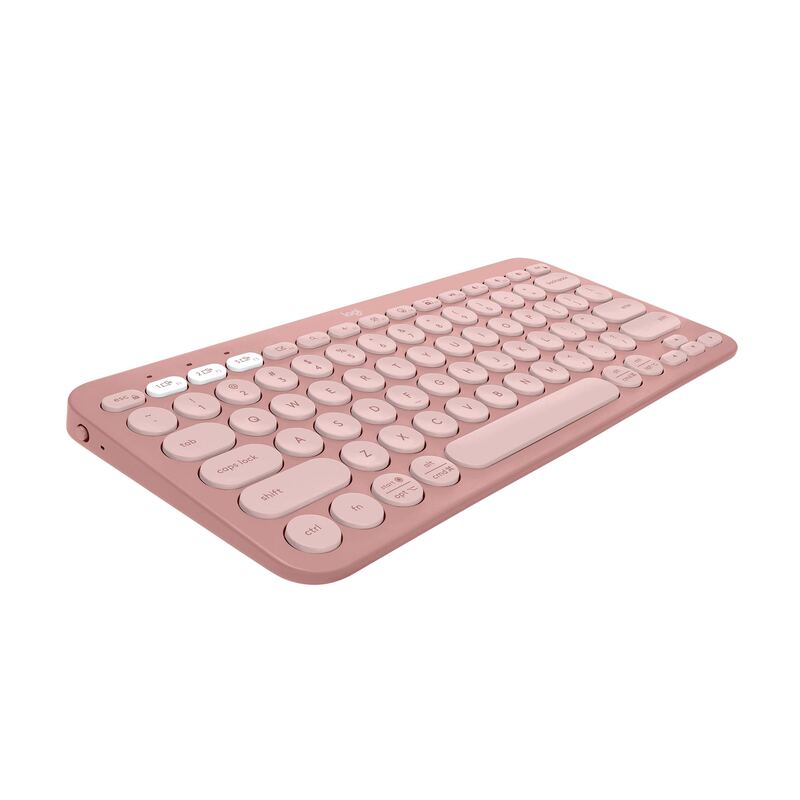
Logitech Pebble Keys 2 K380s
#8
Best for: Travelers seeking portability and sustainability
Logitech Pebble Keys 2 K380s
5 sources$37.99as of Oct 21
▾Why it's ranked here

iMore found that circular keycaps disrupt tactile guidance and increase missed keystrokes for touch typists, while the fixed low typing angle prevents ergonomic adjustment. TechGearLab measured an average operation force of 60.56 gf with quiet scissor switches that reduce acoustic disruption in shared spaces. Pack Hacker noted that certified post-consumer recycled plastic construction feels sturdy despite the budget price point and provides up to three years of battery life from two AAA cells. The device fits travelers seeking portability and sustainability, but touch typists requiring precise key alignment or users needing adjustable wrist angles should look elsewhere.

Strengths
  • — Constructed from certified post-consumer recycled plastic that feels sturdy and durable despite a sub-$50 price point (Pack Hacker)
  • — Features circular scissor switches that provide a quiet, comfortable typing experience with low operation force of 60.56 gf (TechGearLab)
Watch-outs
  • — Circular key shape reduces tactile guidance for touch typists and increases the likelihood of missed keystrokes
  • — Fixed typing angle is very low and cannot be adjusted to suit different ergonomic preferences
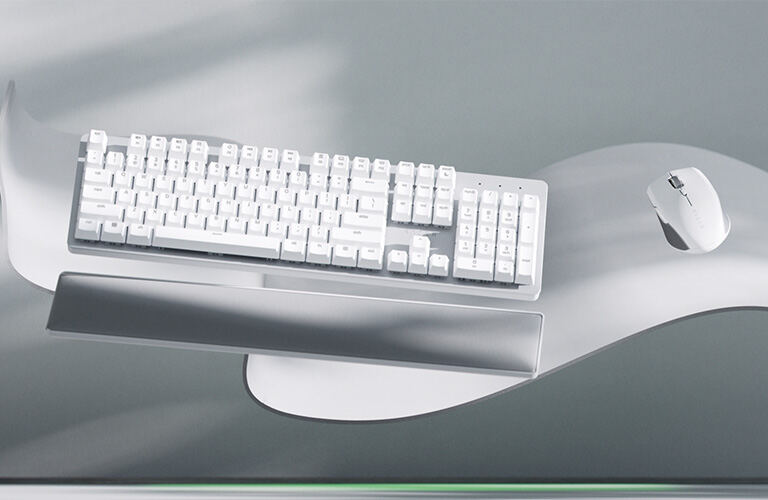
Razer Pro Type Ultra
#9
Best for: Users who prioritize tactile feedback and ergonomic comfort in private settings
Razer Pro Type Ultra
4 sources$159.99as of Oct 21
▾Why it's ranked here

The Razer Pro Type Ultra delivers a luxurious typing experience driven by its proprietary Razer Yellow linear switches and a plush leatherette wrist rest that reviewers found to be highly comfortable. TechGearLab found that the keyboard offers versatile connectivity via Bluetooth, 2.4GHz wireless, and USB-C wired options, alongside dedicated productivity shortcut keys for email and media playback. However, Tom's Hardware explicitly titles their assessment around the device being too loud for office environments due to the distinct acoustic signature of the mechanical switches. The included wrist rest is not magnetic or attached to the keyboard and can shift out of place during active use. This model fits users who prioritize tactile feedback and ergonomic comfort in private settings, while those requiring silent operation should look elsewhere.

Strengths
  • — Includes a plush leatherette wrist rest that reviewers found to be highly comfortable and supple.
  • — Features adjustable incline angles of 6° and 9° for ergonomic typing positions.
Watch-outs
  • — Lacks hot-swappable switches, locking users into the proprietary Razer Yellow linear switch type.
  • — The included wrist rest is not magnetic or attached to the keyboard and can shift out of place.
Reviews aggregated from
Tom's GuideRTINGSTechGearLabPCMagLaptop MagXdadevelopersTom's HardwareIGN

Spec comparison

9 products
vs
SpecEpomaker Ajazz AK820 ProLogitech Keys-To-Go 2
ConnectivityTri-mode (USB-C / 2.4 GHz / Bluetooth 5.1)Bluetooth Tri-mode
Switch TypeHot-swappable (3-pin/5-pin)Scissor switch
Layout75% (81 keys)75% Compact
Materialgasket-mounted design with Flex-cut PC plate and PCBmatte plastic
BacklightingSouth-facing LEDs with 1.6M RGBWhite with ambient sensor
Dimensions12.87"L x 5.35"W x 1.57"H—
Battery Lifeup to 4000mAhbeautifully Long Battery Life
Weight—0.48 lb

Frequently asked questions

Which wireless keyboard should I buy?
Epomaker Ajazz AK820 Pro is the top pick for wireless keyboards — 4.5/5 averaged from 2 published reviews. The Epomaker Ajazz AK820 Pro features a unique small TFT screen and tri-mode connectivity, but its utility is severely hampered by clunky software that makes uploading custom GIFs unreliable. IGN found the interface frustrating, turning the display’s potential into little more than a gimmick despite the hardware's sharp visuals. The keyboard also suffers from an ABS plastic shell that feels less premium than competitors like the Aula F75, and yellow accent keycaps on the Grey colorway are criticized for detracting from its aesthetic appeal. This model fits typists who prioritize acoustic performance and connectivity options over build quality and software polish.
When was this guide last updated?
This guide was last re-checked in October 2026. Prices, links, and source ratings are re-verified on a rolling basis, and the ranking updates when the underlying scores change.

Related guides

Browse all →
  • Best Mechanical Keyboards8 ranked
  • Best Mechanical Keyboards Under $1008 ranked
  • Best 60% Mechanical Keyboards5 ranked
  • Best Wireless Mice8 ranked